Your lid, made of glass.
Close your MacBook and the display lifts away as a pane of liquid frosted glass in 3D perspective. Powered by native Metal shaders, zero-copy ScreenCaptureKit streaming, and Apple's continuous lid-angle sensor. Stop, and it holds. Open it again and the fold retraces itself at the speed of your hand.
Universal Binary · Apple Silicon (M1–M4) & Intel · 100% Free & Open Source
A real material. A tactile event, every fold.
A physical pane of frosted glass, anchored along the bottom hinge of your display and driven by your lid. Rather than painting a blur over a static screenshot, MacBook Duo models real optical physics: perspective projection, binomial downsample blur pyramids, adaptive Vogel disc matte grain, and grazing rim specular glints.
Your lid moves it. Zero latency tracking.
MacBook Duo queries Apple's continuous lid-angle sensor at up to 120Hz on a dedicated high-priority queue. An alpha-beta lead predictor eliminates visual lag, so the glass moves in lockstep with your physical lid. Move slowly, stop midway, or reverse — the fold follows seamlessly.
Clear at the hinge. Frosted at the apex.
The pane tilts away from the backlight panel like a physical wedge. Because the physical air gap is zero at the hinge and expands towards the top, the bottom dock stays sharp while the top menu bar diffuses into milky frosted glass.
Etched glass dispersion, not flat blur.
MacBook Duo's Metal shader incorporates micro-surface roughness that scatters light isotropically. With randomized Vogel disc sampling and specular edge highlights, the glass mimics premium sandblasted Apple hardware.
Deep control with live interactive preview.
MacBook Duo features a native macOS Settings window built in SwiftUI. A live Metal preview viewport renders immediately beside your controls, with an interactive test scrubber to simulate folds without touching the lid. Customize engage angles, hinge travel, display sources (Live Screen, Bundled Wallpaper, or Custom Photo), and stationary FPS throttle rates.
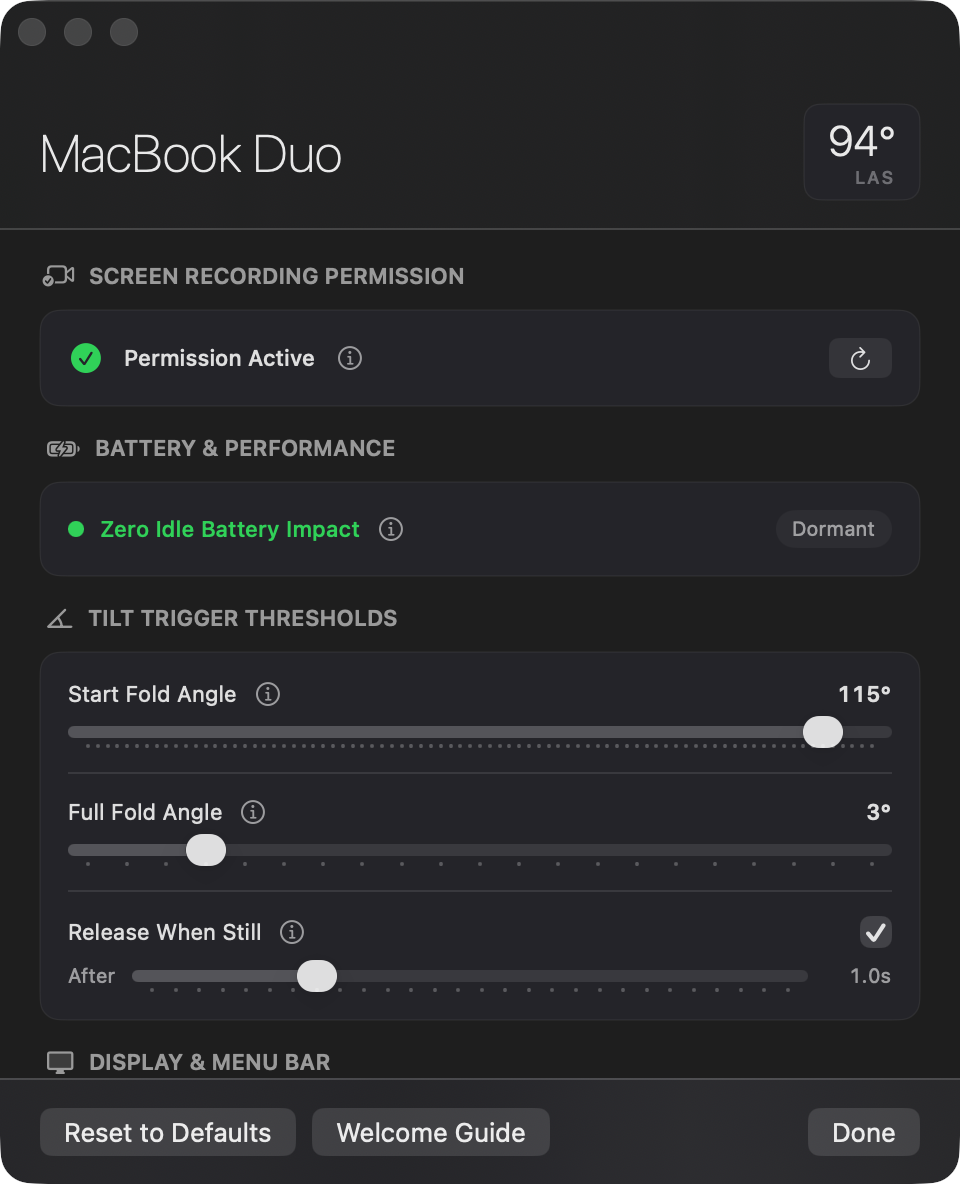
Engineered for speed, battery & fidelity.
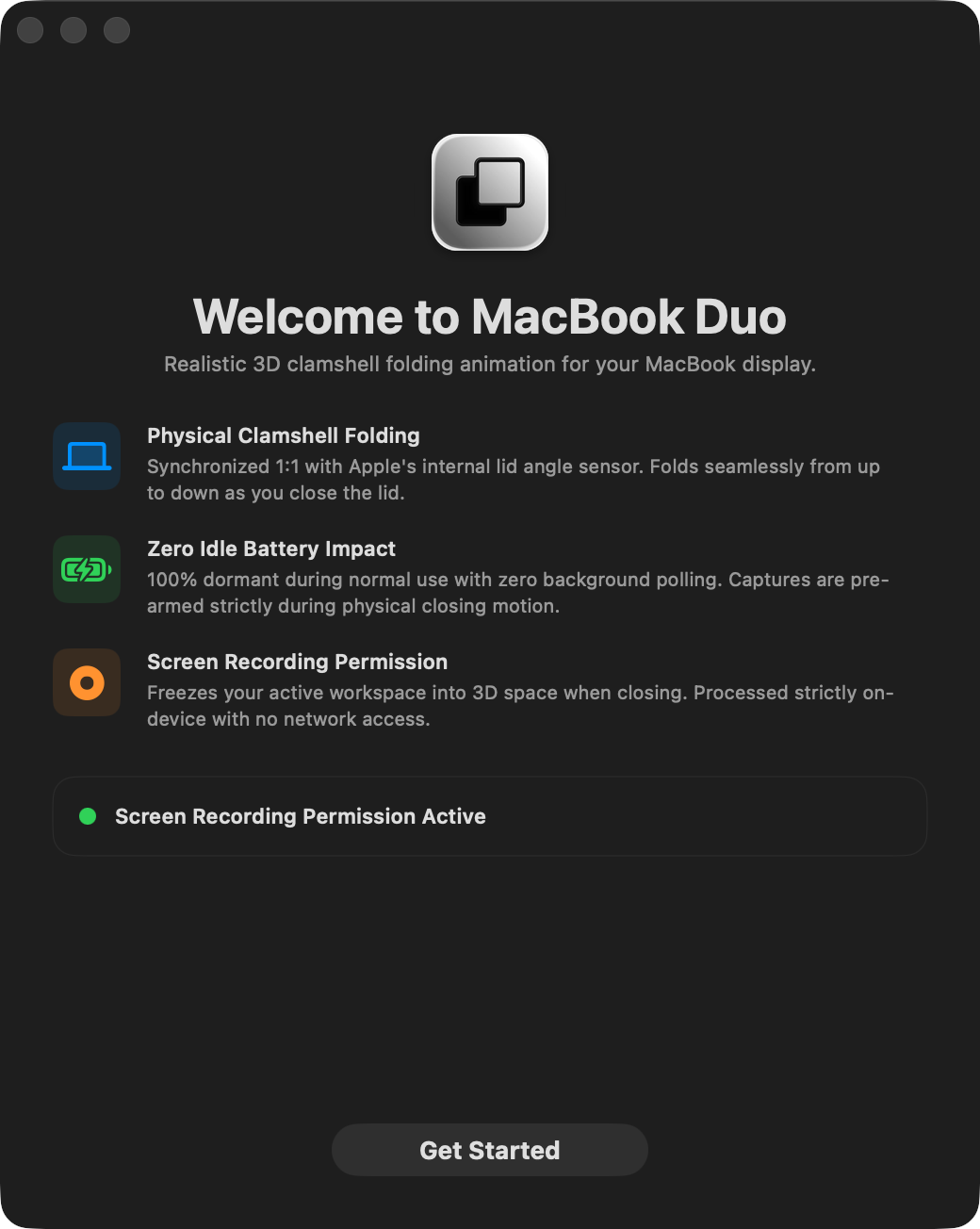
MacBook Duo is crafted entirely in native Swift and Metal 3, bypassing bulky web runtimes or heavy background frameworks.
- Zero-Copy SCStream
- ScreenCaptureKit streams IOSurface buffers directly into Metal textures via CVMetalTextureCache with zero CPU copies, keeping system memory footprint negligible.
- Zero Idle Battery Draw
- Screen capture and GPU rendering automatically suspend the millisecond the lid settles. When stationary, CPU and GPU utilization drops to 0.0%.
- Clamshell Opening Mode
- On Macs without continuous angle sensors (or desktop Macs), MacBook Duo provides a standalone Clamshell Opening Animation engine with customizable durations (0.60s to 2.00s) and menu bar preview triggers.
- Menu Bar Companion
- Sits unobtrusively in your macOS status bar with a live angle readout in degrees (e.g. 112°), quick sensitivity selectors, and one-click settings access.
- Display Topology Awareness
- Intelligently detects external displays and suppresses the fold overlay when your MacBook is operating in closed-display clamshell desktop mode with an external monitor.
Requirements & Privacy.
Transparent technical specifications, permissions, and privacy guarantees.
- macOS Version
- macOS 14.0 Sonoma, macOS 15 Sequoia or later.
- Mac Compatibility
- Compatible with Apple Silicon (M1, M2, M3, M4 series) and Intel Macs. Supported models with continuous lid sensors include 16-inch MacBook Pro (2019+), 14-inch & 16-inch MacBook Pro (M1 Pro/Max onward), and MacBook Air M2 onward. All other Macs can run MacBook Duo's animated Clamshell Opening engine.
- Required Permission
- Screen Recording permission (required by Apple's ScreenCaptureKit to sample the live desktop into the Metal glass texture).
- Binary & Source
- Universal Binary (arm64 + x86_64). 100% free and open source. Explore the Swift & Metal code on GitHub.
- Local GPU Memory Only
- Captured display frames are blitted strictly into volatile GPU VRAM for real-time rendering. No frames are written to disk, and no data is ever transmitted over the network.
- Zero Analytics & No Accounts
- MacBook Duo contains no tracking scripts, no telemetry SDKs, no ad trackers, and no user registration requirements. Simply mount the DMG and drag to Applications.
- Camera & Audio
- MacBook Duo does not access the camera, microphone, or user documents.
One-time macOS Security Confirmation
When launching for the first time, open System Settings → Privacy & Security, scroll down, and click Open Anyway to authorize the developer build. You only need to perform this step once.
Your lid, made of glass.
Free, native, and open source. Download the ready-to-run DMG now.
Universal Binary · macOS 14.0+ · Apple Silicon & Intel
Frequently Asked Questions.
Why does MacBook Duo need Screen Recording?
Will it work on my Mac?
MacBook Duo works on all modern Macs. MacBooks with Apple's continuous hinge sensor (such as 14" & 16" MacBook Pro models and M2+ MacBook Air) use real-time lid tracking. Macs without this specific continuous sensor automatically utilize MacBook Duo's built-in Clamshell Opening Animation engine.
To check if your Mac exposes the continuous lid-angle sensor, run this command in Terminal:
hidutil list --matching '{"PrimaryUsagePage":32,"PrimaryUsage":138}' 2>/dev/null | awk '$4==32 && $5==138 {found=1} END {print "MacBook Duo compatibility check"; print ""; if (found) {print "✓ Required lid-angle sensor detected."; print " Your Mac supports real-time continuous lid tracking."} else {print "ℹ Continuous sensor not detected."; print " Your Mac will run in animated Clamshell Opening mode."}}'
Click Copy to paste into Terminal. Both modes render the exact same 3D Metal frosted glass shaders.